

truenas
硬件问题: 1. 启动的时候 将bios中的quick boot设置为enable
Truenas 的镜像库搭建:
1. Docker 私有仓库
2. 首页https的访问
3. 搭建私有的 https方式的git仓库, truenas默认取数据的方式
curl -s https://install.zerotier.com | sudo bash
zerotier-cli join 52b337794fef04cd
Truenas 需要调整点:
1. apt/vim 的权限 chmod +x /usr/bin/apt* /usr/bin/vim.tiny
2. ui代码替换路径: /usr/share/truenas/webui
3. python代码路径:/usr/lib/python3/dist-packages/middlewared
3. 界面精简一些功能
4. 现有的app 中所显示的app 是github的docker路径
5. 制作一个现有app的 kvm的模版市场
6. 搭建一个模版下载服务器 后续可能重点围绕这个来做
7. 操作系统中需要同步时间: date -s “2023-02-10 11:11:11”
Truenas 导入qcow2的步骤:
0. 先在web界面上创建一个zvol的卷
1. 在命令行中使用qemu-img convert -O raw <qcow2文件> /dev/vzol/<存储池vm路径>/<Zvol名称>
2.完成后在界面上创建虚拟机, 磁盘那选择已存在的 上一步骤的Zvol名称
- 修改处:
     assets/customicons/truenas_scale_logo_full.svg
     assets/customicons/truenas_scale_logotype.svg
     assets/customicons/truenas_scale_logotype_rgb.svg
     app/components/common/dialog/about/about-dialog.component.html:48
     app/views/sessions/signin/signin.component.html:136
     app/views/others/failover/failover.component.html:10
     app/views/others/config-reset/config-reset.component.html:10
     app/views/others/reboot/reboot.component.html:25
     app/views/others/shutdown/shutdown.component.html:26
     app/components/common/layouts/admin-layout/admin-layout.component.html:52

     app/pages/dashboard/components/dashboard-form/dashboard-form.component.ts:70

     app/components/common/topbar/topbar.component.html:10
     app/components/common/topbar/topbar.component.html:11-12
     app/components/common/topbar/topbar.component.html:117

     app/services/navigation/navigation.service.ts:98

     app/pages/system/general-settings/localization-form/localization-form.component.html:8

     app/pages/system/general-settings/support/support.component.html:53

     app/pages/preferences/page/preferences.component.ts:163
     app/pages/preferences/page/preferences.component.ts:139

     app/pages/system/advanced/console-form/console-form.component.html:27

     app/helptext/product.ts
增加快速创建按钮
app/pages/vm/vm.module.ts :38
app/pages/vm/vm.routing.ts:33
app/pages/vm/vm-list/vm-list.component.ts 194, 700
app/pages/vm/vm-quick-wizard/vm-quick-wizard.component.ts
默认的官方库:
Sqlite3: /data/freenas-v1.db
#delete from services_catalog where label='OFFICIAL';
update services_catalog set repository='https://docker.begincloud.cn/git/charts.git' where label='OFFICIAL';

update system_advanced set adv_motd='Welcome to OpenNAS' where id=1;

update network_globalconfiguration set gc_hostname='opennas', gc_hostname_b='opennas-b' where id=1;

update system_email set em_fromemail='root@opennas.local' where id=1;
更换源: /etc/apt/sources.list
#deb https://mirrors.aliyun.com/debian/ bullseye main non-free contrib
#deb-src https://mirrors.aliyun.com/debian/ bullseye main non-free contrib
#deb https://mirrors.aliyun.com/debian-security/ bullseye-security main
#deb-src https://mirrors.aliyun.com/debian-security/ bullseye-security main
#deb https://mirrors.aliyun.com/debian/ bullseye-updates main non-free contrib
#deb-src https://mirrors.aliyun.com/debian/ bullseye-updates main non-free contrib
#deb https://mirrors.aliyun.com/debian/ bullseye-backports main non-free contrib
#deb-src https://mirrors.aliyun.com/debian/ bullseye-backports main non-free contrib
/etc/motd 修改ssh登录提示
修改ssh登录提示
/usr/lib/python3/dist-packages/middlewared/etc_files/motd.mako

/usr/lib/python3/dist-packages/middlewared/utils/osc/linux/app.py:17
/usr/lib/python3/dist-packages/middlewared/plugins/crypto_/utils.py:18


/data/manifest.json

/etc/hostname 的名字
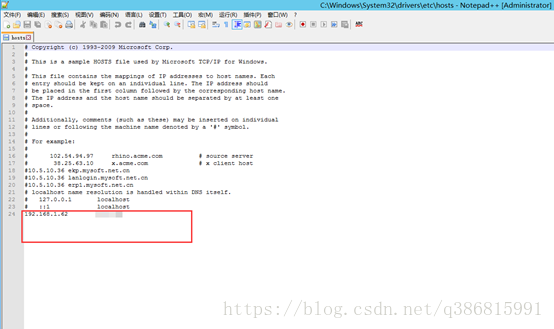
/etc/hosts的配置
终端的命令行提示:
/usr/lib/python3/dist-packages/midcli/menu/items.py:83
/root/.warning 的警告提示
plugins/vm/vm_devices.py:116
plugins/vm/vm_devices.py:147
Plugins/vm/devices/storage_devices.py:78
将zfs的cache限制在 8G
echo 8589934592 > /sys/module/zfs/parameters/zfs_arc_max
8589934592 = 8 * 1024 * 1024 * 1024
连接 virsh
virsh -c "qemu+unix:///system?socket=/run/truenas_libvirt/libvirt-sock"

edit 5 # 编辑后 需要define /etc/libvirt/qemu/5.xml 生效
然后 reboot 5 重启